
Workload Distribution Across CPU Cores
GrandBridge distributes the work of multiple plug-ins across available CPU cores. This helps avoid the situation where one core is already overloaded while others are still free.
A VST3 bridge for audio plug-ins
GrandBridge loads in your DAW as a standard VST3 plug-in. Open any FX or instrument inside it, and the intelligent scheduler distributes its workload across CPU cores. As a result, any plug-in — old or new — becomes part of a true multicore system. GrandBridge bypasses a major bottleneck shared by all DAWs: uneven core utilization, where one core is already overloaded while others remain idle.
Available CPU cores
FX and instruments
The DAW passes selected plug-in processing to GrandBridge. GrandBridge distributes that work across available CPU cores while latency, automation and project recall continue to behave as expected.
Schematic illustration of core utilization, not measured data.
GrandBridge distributes the work of multiple plug-ins across available CPU cores. This helps avoid the situation where one core is already overloaded while others are still free.
Create a dedicated VST3 Shell for any hosted plug-in. It appears in the DAW under the plug-in's own name and opens directly, without an extra browser or manual selection step.
Map hardware MIDI CC controls to GrandBridge Auto slots or Macros. Use MIDI already routed by the DAW, or select one physical controller globally for the active GrandBridge instance.
Expose hosted parameters to the DAW, group several controls behind one Macro and keep mappings available across FX, instruments, formats and generated Shells.
Scale plug-in interfaces that were never designed for modern displays. GrandBridge GPU Zoom works around the lack of a common VST zoom standard and keeps the original plug-in interactive.
Each hosted plug-in runs separately from the DAW and the other plug-ins. If one freezes or crashes, GrandBridge contains the failure inside its Sandbox and lets you recover that plug-in without restarting the entire session.
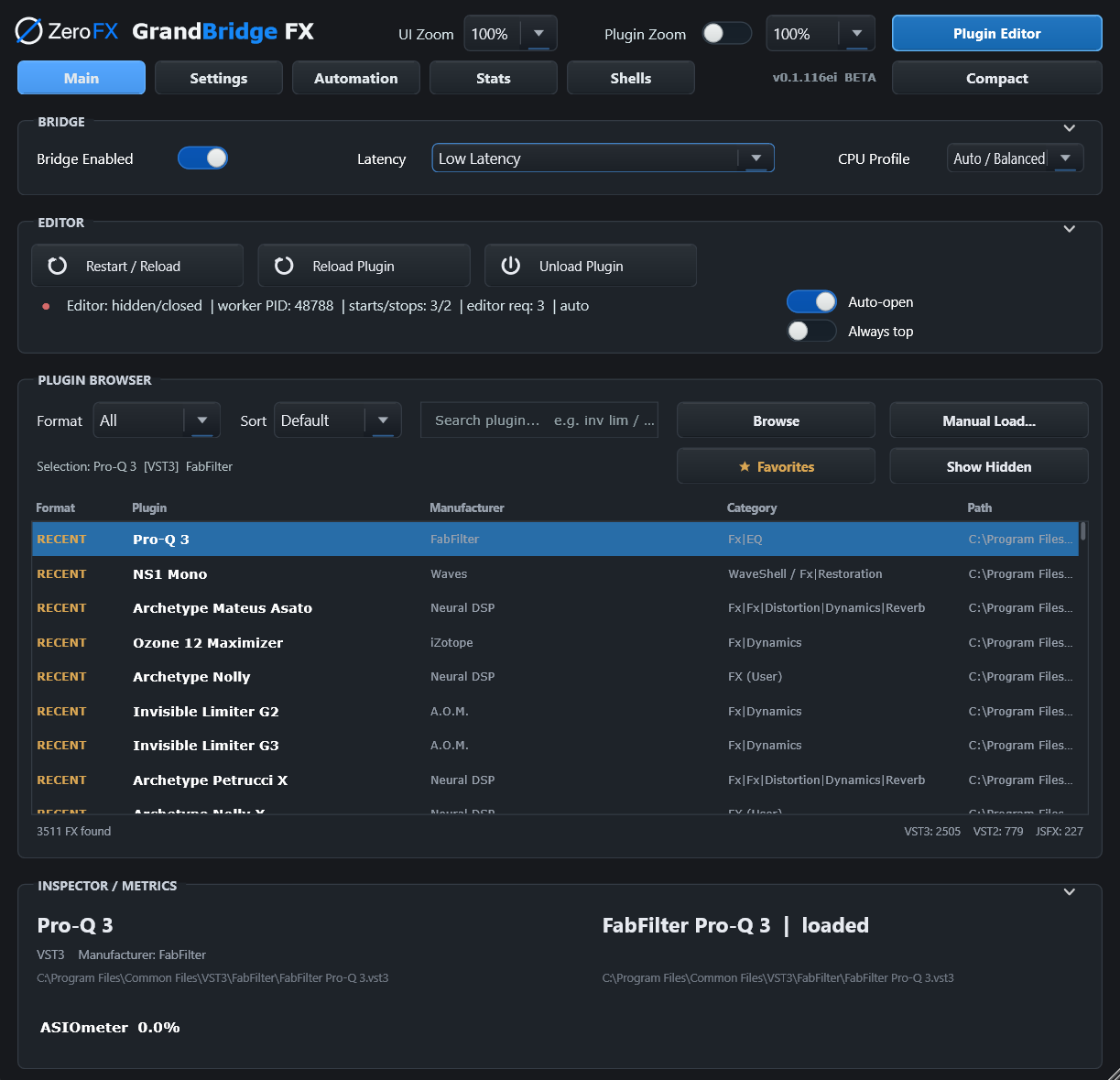
Captures from the GrandBridge window.
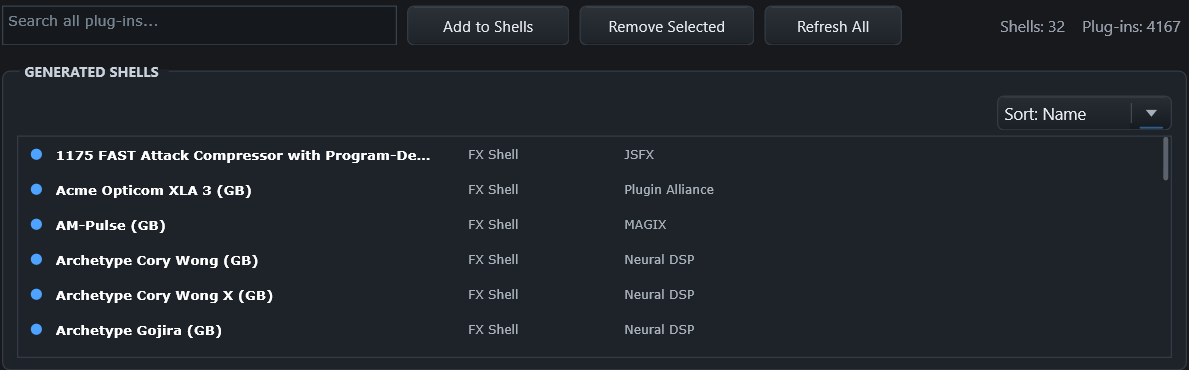
Selected plug-ins get their own Shells, which appear in the DAW under the plug-in’s own name.
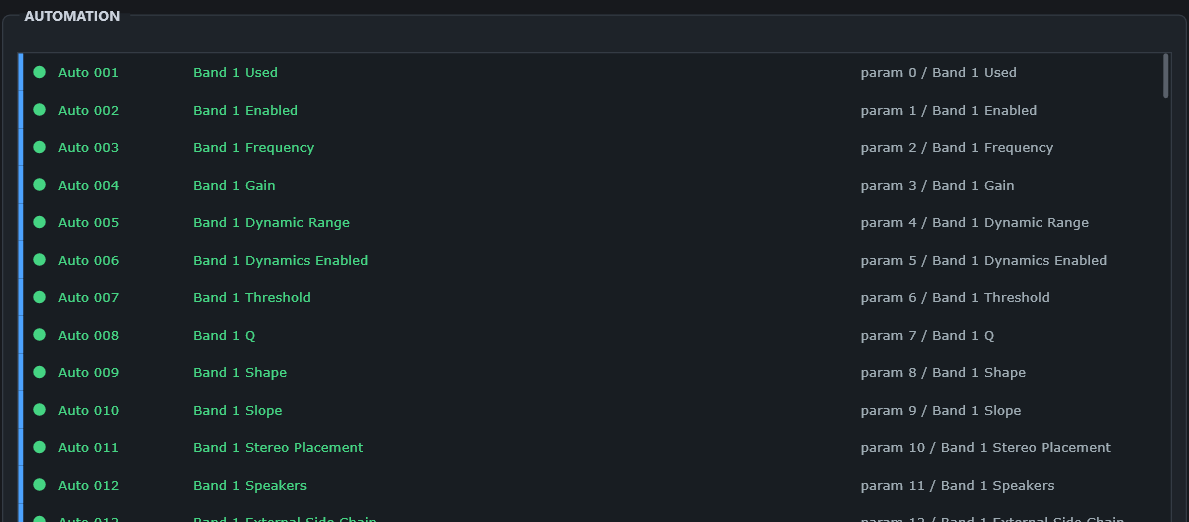
Auto slots bind to the parameters of the hosted plug-in and reach the DAW as ordinary automation.
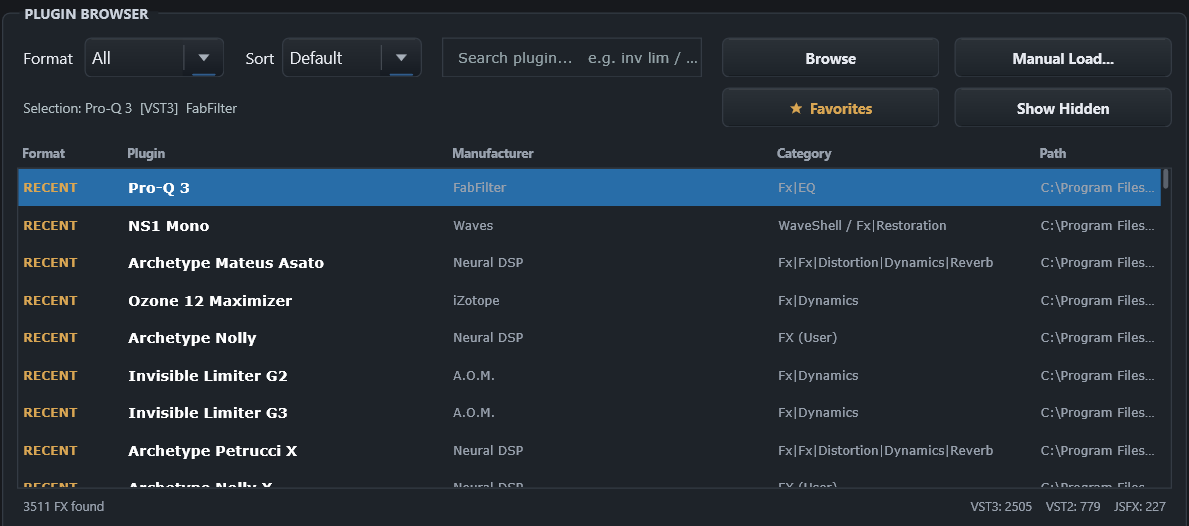
Format, manufacturer, category and path in one list, with fast scanning and a metadata cache behind it.
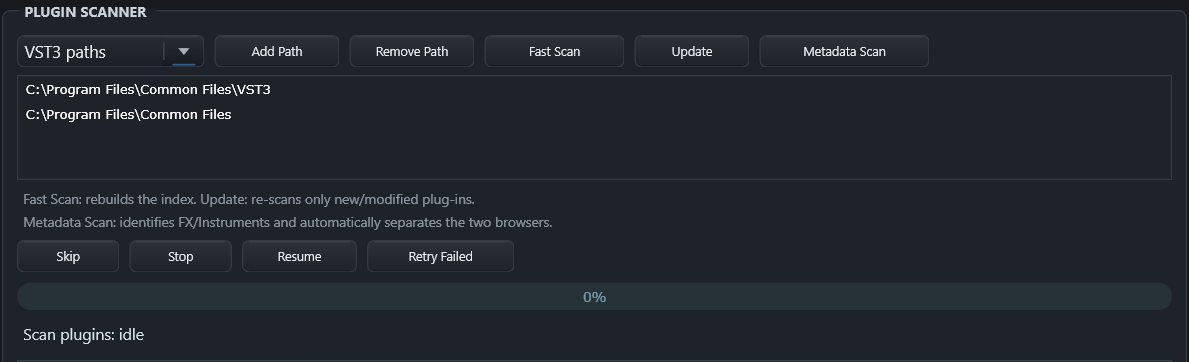
Fast Scan rebuilds the index, Update re-scans only what changed, Metadata Scan separates FX from instruments.
FX and instruments, modern and legacy formats, direct GrandBridge hosting or dedicated VST3 Shells.
The largest CPU gains appear when a project contains several heavy, independently processable plug-in instances. Results vary with the DAW, buffer, plug-in topology and the plug-ins themselves.
Use the same DAW, the same plug-ins and the same project. GrandBridge is designed to prove its value in a real session, not in a marketing benchmark.
Windows macOS — planned
